Simulator Build
< ALL-SAFE
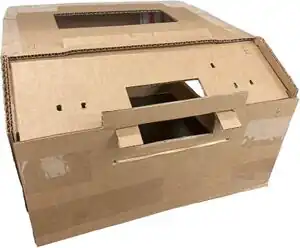
Learners will first construct their laparoscopic "box trainer." They will follow step-by-step instructions on how to build the laparoscopic box trainer out of cardboard and other local materials. This box trainer can be reused for any ALL-SAFE module.
-
 Templates Box Trainer
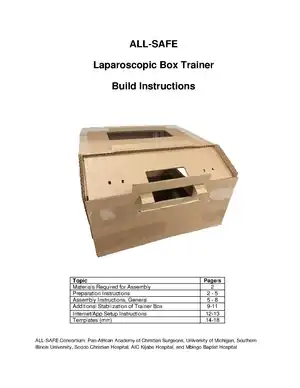
Downloadable Build Instructions and Templates
See the following resources/instructions:
Instructional Videos
How this looks like on the platform
Angled Scope Views
Zero Degree Scope View
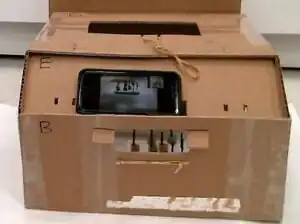
- For a zero degree (0◦) view, place the smartphone on Part E so that the screen faces you and the camera points into the rectangular cutout.
- The phone will rest against the top lip of Part B
- Adjust the smartphone position and/or the training object in the box until the proper view is acquired
- A zero degree view is used for assessment of the learners' performance
Thirty Degree Scope View
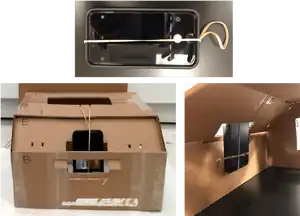
- Having the capability to simulate an angled scope is a novel component of the laparoscopic box trainer. Learners can practice using this view in any module.
- For a 30-degree (30◦) view, stretch the free rubber band hanging from the top of Part E around the smartphone in the vertical direction
- Lower the smartphone into the rectangular cutout in Part E
- Use the rubber bands attached to Part B to secure the smartphone
- Adjust the smartphone position and/or the training object in the box until the proper view is acquired
| Authors | ALL SAFE |
|---|---|
| License | CC-BY-SA-4.0 |
| Organizations | Global Surgical Training Challenge |
| Cite as | ALL SAFE (2021–2025). "ALL-SAFE/Simulator Build". Appropedia. Retrieved November 28, 2025. |